


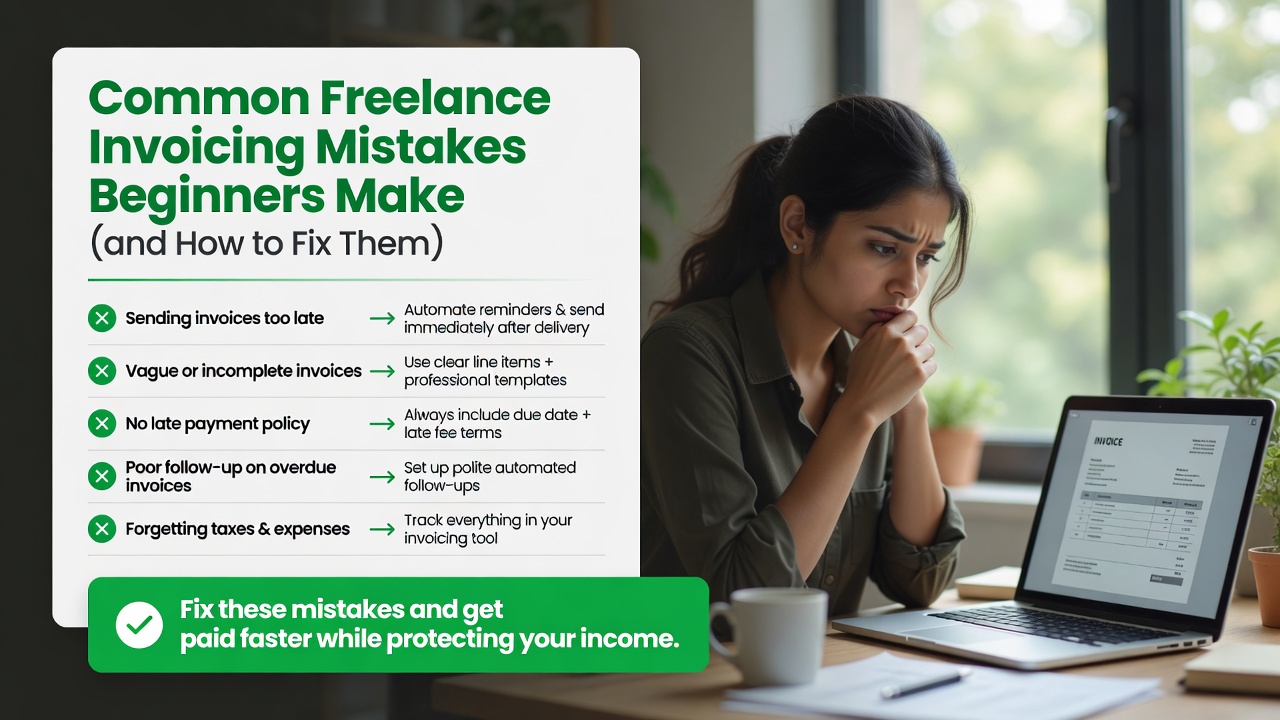
Invoicing seems simple: send a bill, get paid. But small mistakes in how you invoice can cost you thousands in late payments, lost clients, and unnecessary stress. Whether you are a new freelancer or have been at it for years, these common invoicing mistakes might be hurting your business.
For a full overview of the best invoicing tools to avoid these problems, check out our freelance invoicing software guide.
1. Not Sending Invoices Immediately
The mistake: Waiting until the end of the month or whenever you have time to batch-send invoices.
Why it hurts: A 24-hour delay in sending an invoice leads to an average 7-day delay in payment. The longer you wait, the less urgency the client feels.
The fix: Send the invoice the same day you complete the work. Better yet, use invoicing software with recurring templates so retainer invoices go out automatically on the same date every month.
2. Vague Service Descriptions
The mistake: Writing Services Rendered or Website Work on the invoice line item.
Why it hurts: Vague descriptions lead to disputes, delayed payments, and confusion about what was delivered. Clients want to know exactly what they are paying for.
The fix: Be specific. Instead of Design Work, write Homepage Redesign (12 hours at $85/hr). Include measurable details: number of pages, hours worked, deliverables provided.
3. Not Including Payment Terms
The mistake: Sending an invoice with no due date or payment terms.
Why it hurts: Without a clear due date, clients will prioritize your invoice based on their own convenience. You become a low priority.
The fix: Always include the payment due date and terms (e.g., Net 15) prominently on the invoice. Near the total, add: Payment due by July 15, 2026. Make it impossible to miss.
4. Making It Hard for Clients to Pay
The mistake: Only accepting checks or requiring clients to manually enter bank details.
Why it hurts: Every extra step between the client receiving the invoice and making the payment reduces the likelihood of on-time payment.
The fix: Include a Pay Now button that accepts credit cards. Offer ACH transfer as a lower-fee alternative. The best freelance invoicing tools handle this with one-click payment links.
5. Not Following Up on Overdue Invoices
The mistake: Sending one invoice and waiting passively for payment, then feeling awkward about following up.
Why it hurts: Invoices that are not followed up are 3x more likely to become 60+ days overdue. Clients juggle many bills and yours will slip if you do not remind them.
The fix: Set up an automated reminder sequence: 3 days before due, on the due date, 7 days overdue, 14 days overdue, and 21 days overdue with a late fee applied. Most invoicing software does this automatically.
6. Not Charging Late Fees
The mistake: Never enforcing late fees or not including them in your terms.
Why it hurts: Without consequences, late payments become the norm. You train clients that it is okay to pay late.
The fix: Include a 1.5% monthly late fee in your contract and on every invoice. Apply it consistently after a 7-day grace period. Most invoicing software for freelancers can calculate and add late fees automatically.
7. Not Keeping Records for Tax Time
The mistake: Not saving copies of invoices or tracking which ones are paid and unpaid.
Why it hurts: At tax time, you need to report all income. Missing invoices mean underreported income, which can trigger IRS audits and penalties.
The fix: Use invoicing software that tracks paid, unpaid, and overdue status. Export reports quarterly so you have a clean record of all income. The IRS recommends keeping invoice records for at least 3 years.
8. Invoicing in the Wrong Currency
The mistake: Invoicing international clients in your currency without discussing it first.
Why it hurts: The client may not know the exchange rate, causing friction. Or they may convert it incorrectly, leading to short payments.
The fix: Agree on the invoice currency before starting work. Most freelancers invoice in their home currency and let the client handle conversion. Tools like FreshBooks and Wave handle multi-currency invoicing.
9. Not Having a Written Agreement
The mistake: Starting work without a signed contract or at minimum a written estimate that the client approved.
Why it hurts: Without a written agreement, you have no legal standing to enforce payment terms or late fees. If a dispute arises, it is your word against theirs.
The fix: Always use a freelance contract. At minimum, send a written estimate or proposal and get explicit client approval before starting work. Platforms like Bonsai include contract + invoicing together.
10. Using an Unprofessional Invoice Format
The mistake: Sending invoices as Google Doc links, plain text emails, or messy Word documents.
Why it hurts: An unprofessional invoice makes you look like a beginner. Clients trust businesses that look professional.
The fix: Use a clean, branded invoice template with your logo, consistent fonts, and clear formatting. Send as PDF to preserve layout. Freelance invoicing software provides professional templates that you can customize with your brand in minutes.
Quick Checklist: Invoice Like a Pro
Before sending your next invoice, run through this checklist:
- Sent immediately after work is complete
- Clear, specific line-item descriptions
- Payment due date prominently displayed
- Pay Now or payment link included
- Late fee policy stated
- Branded, professional format (PDF)
- Saved to your records
- Follow-up reminders scheduled
For a comparison of tools that handle all of these steps automatically, visit our best invoicing software for freelancers guide.
Disclaimer: This content is for informational purposes only and does not constitute financial, tax, or legal advice. Consult a qualified professional for advice tailored to your specific situation.

